3D Scan Recording
3D scan recording turns a rotating 2D LiDAR into a 3D scanner without host-side
geometry code. While the sensor rotates on an axis, it combines consecutive 2D
scans with the rotation angle and stores one point cloud as a .pcd file on
the device. The angle comes from the built-in IMU or from an encoder on the
axis. Open the result in CloudCompare.
The device keeps only the most recent point cloud, and there is no continuous 3D output. For continuous 3D data or custom transforms, process the scans on the host as described in 3D With 2D LiDARs.
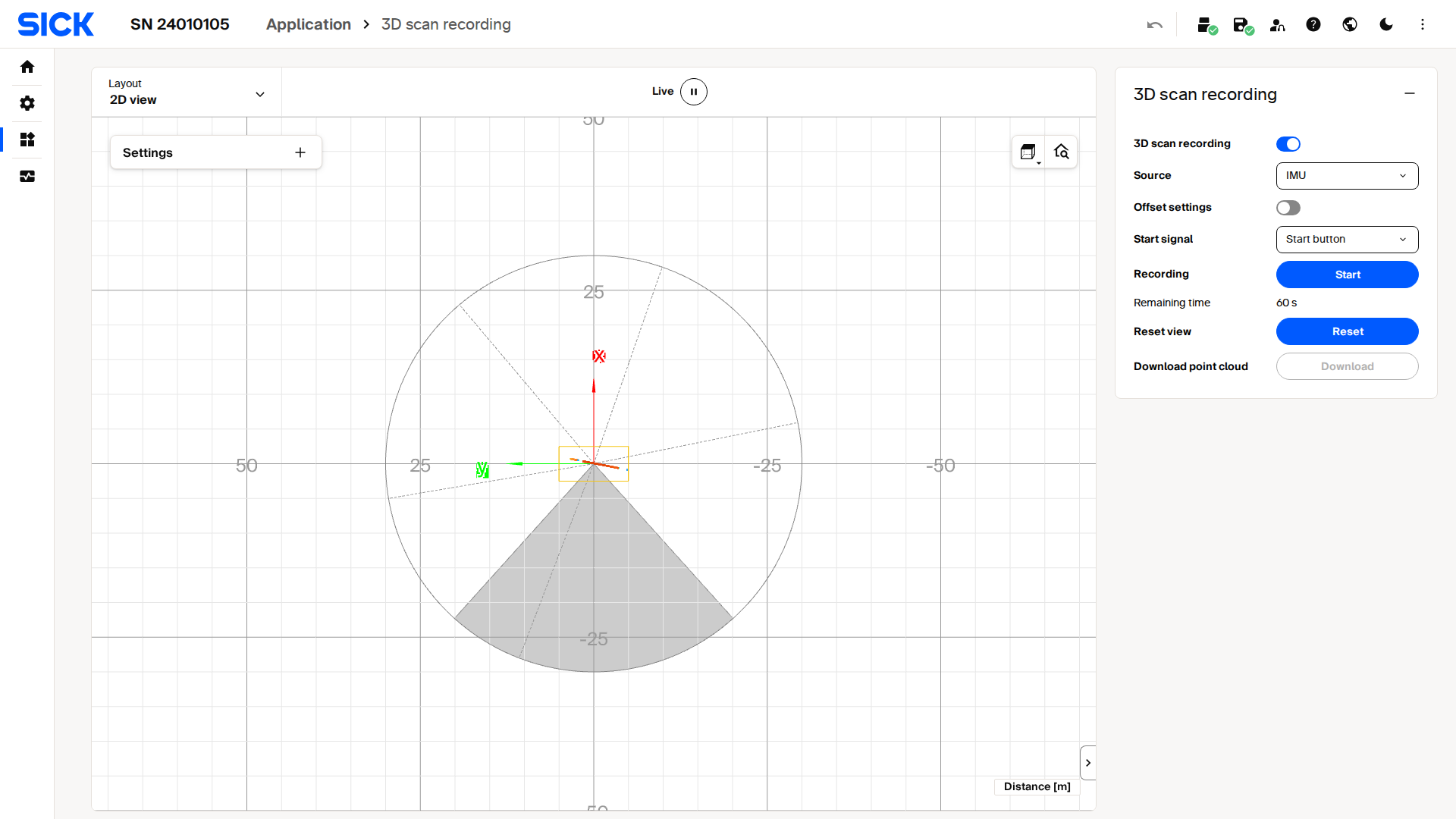
Live capture of the 3D scan recording interface on a picoScan100.
Record in SOPASair
- Mount the sensor so its scan plane sweeps the area of interest as it rotates.
- Open Application → 3D scan recording, select the rotation source (IMU or encoder), and enter the sensor offset from the rotation axis.
- Start the recording, rotate the sensor through the sweep, and stop the recording.
- Download the point cloud when saving is complete.
Record over the REST API
Writing parameters and calling methods requires challenge-response authentication.
Record over the REST API: parameter and values.
| Parameter | Values |
|---|---|
ScanMergerEnabled |
true / false |
ScanMergerSource |
0 IMU, 1 ENCODER |
ScanMergeTrigger |
0 METHOD; on the LRS4000 also 1 DIGITAL_INPUT |
RotationOffset |
{x, y, z} in mm: sensor offset from the rotation axis |
- Write the parameters and persist them with
POST /api/WriteEeprom. - picoScan150 only:
POST /api/ResetScanMergeViewto clear the previous recording. POST /api/StartScanMergeand move the axis through the sweep. WithScanMergeTrigger = 1, a digital input starts and stops the recording instead.POST /api/StopScanMerge.- picoScan150 only: poll
GET /api/MergeSavinguntil it changes fromtrueback tofalse. - Download the point cloud. On the picoScan150, use port 80 outside
/api/:curl http://192.168.0.1/cloud.pcd -o cloud.pcd. On the LRS4000, download it in SOPASair under Application → 3D scan recording.
The endpoints are listed in the LRS4000 and picoScan100 REST API references. For a complete example, see the House 3D Capture project.