3D Height Measurement
A multiScan100 can measure the body height of a person in a defined area. The sensor scans the area in 3D, while perpendicular-distance evaluation measures the detected points relative to the floor. The maximum distance inside the evaluation field represents the person's height.
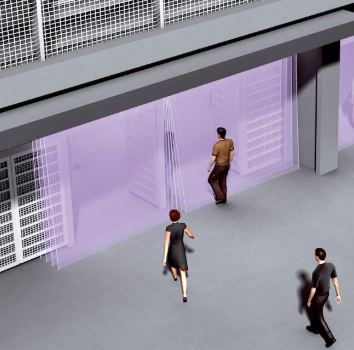
A 3D LiDAR measures people as they pass through a defined detection area.
Suggested Data Path
- Mount the multiScan100 so its field of view covers the measuring area and the top of the person's head remains within the scan range.
- Create an evaluation group in Application > Perpendicular distance measurement and draw a field around the measuring area.
- Use the floor as the reference plane. Keep walls, door frames, and other fixed objects outside the field so they cannot become the maximum value.
- Configure the object-detection settings for stable measurements.
- Read the minimum and maximum perpendicular distances from the evaluation result. Use the maximum distance as the measured body height.
For configuration and result-access details, see Perpendicular Distance Measurement.
Example Solution
The following screenshot shows the evaluation in SOPASair. The 3D field covers the person above the floor, and the result list reports the minimum and maximum distances for the evaluation.
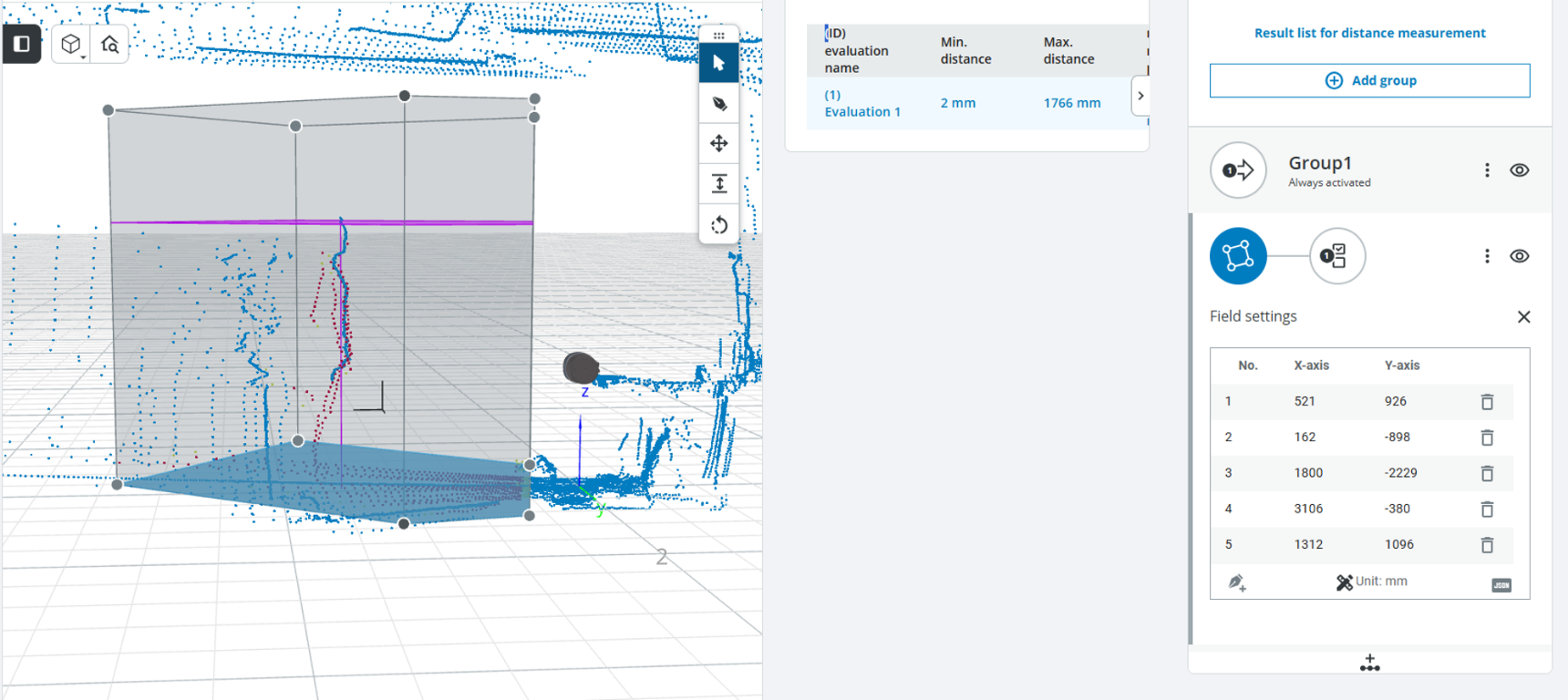
Height-measurement example using perpendicular distance. The maximum distance of 1766 mm represents the measured body height.
Validate the setup with people of known height and verify that the reported maximum remains stable as a person moves through the measuring area.