User levels
User levels control who can change the picoScan configuration. Reading live data and status does not require a login, but configuration changes, methods, and protected API requests do.
| User level | Factory state |
|---|---|
| Service | Enabled |
| Maintenance | Disabled |
| Authorized Client | Disabled |
Only Service is enabled when the device leaves the factory. Maintenance and Authorized Client cannot be selected or used until a Service-level user explicitly enables them. This is intentional: activate only the levels required by the deployment, then assign and protect their passwords before handing the system over.
Enabling a user level
Log in to SOPASair with the Service user level, open the user-level management settings, enable the required level, and set its password. Save the configuration permanently with Write EEPROM so the setting persists after a power cycle.
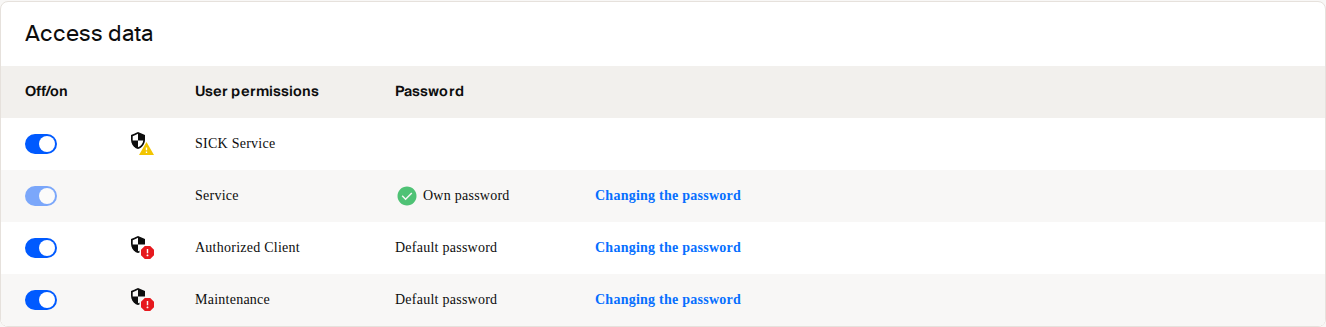
Access data tile in SOPASair user-level settings.
REST API clients can enable or disable REST levels through EnableUserLevel. CoLa A/B clients use EnableLegacyUserLevel for their respective user levels. Authenticate these changes as Service, and use a fresh challenge-response value for each protected REST request.
See REST API / OpenAPI for REST authentication and Challenge Response Authentication for the request flow.