Sketch Demonstrator
Short Description
This challenge project focuses on classifying different hand-drawn sketches with the AI Classification tool in SICK Nova.
You will define your own sketch classes, create multiple drawings for each class and train an AI model to classify the sketches.
Project Information
| Project type | Required knowledge level | Estimated duration | Additional hardware and software requirements |
|---|---|---|---|
| Challenge Project | Advanced | 2 Hours | Paper, Edding |
Challenge Goal
The goal of this project is to create an AI Classification task that can distinguish between different hand-drawn sketches.
Unlike a guided project, this challenge does not provide a full step-by-step solution.
Use your knowledge from previous Vision Starter Kit projects to solve the task independently.
Task
Create an AI Classification application in SICK Nova that recognizes different hand-drawn sketch classes.
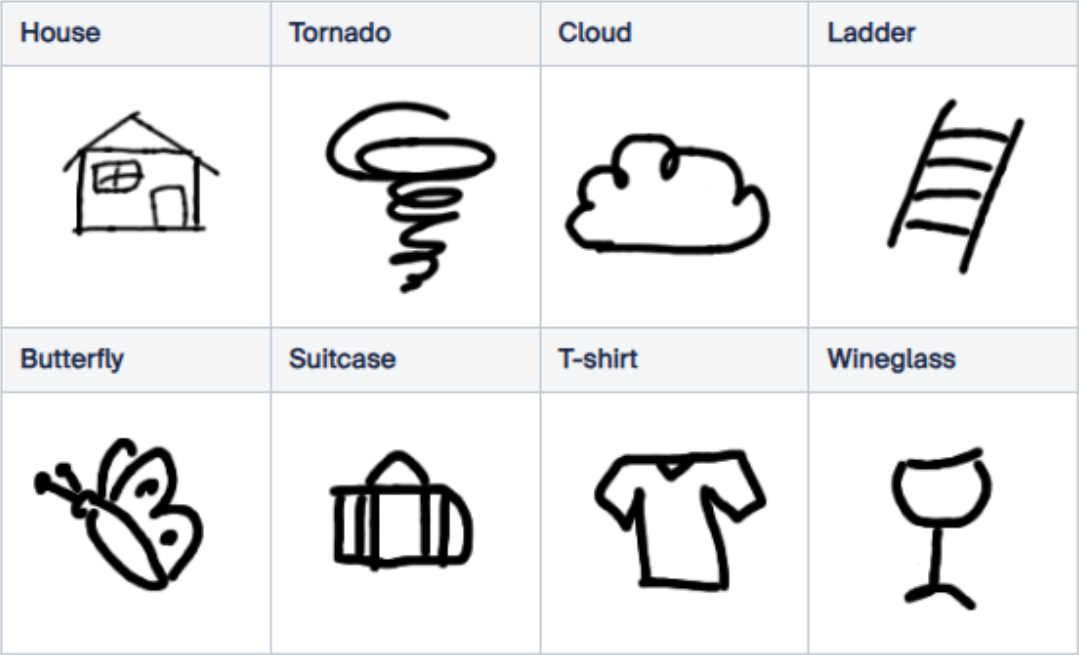
Define up to eight different objects or classes. Possible classes could be:
- butterfly
- suitcase
- T-shirt
- wineglass
- house
- cloud
- ladder
- bag
You may also choose your own sketch classes.
Requirements
Your solution should meet the following requirements:
- create multiple drawings for each class
- use the AI Classification tool
- train the model on the device
- test whether the sketches are classified correctly
- improve the training data if the classification is not reliable
Training limit
Only a maximum of 100 images can be used for on-device training.
Plan your classes and training images accordingly.
Suggested Approach
Use the following high-level approach as orientation:
- Set up the Vision Starter Kit.
- Create an empty job in SICK Nova.
- Configure image acquisition.
- Add the AI Classification tool.
- Create your sketch classes.
- Capture multiple images for each class.
- Train the model.
- Test the classification result.
- Add more training images or adjust the classes if needed.
Hints
Hint 1: Start with fewer classes
Start with two or three classes first.
After the model works reliably, add more classes.
Hint 2: Use variations
Draw each class several times with small variations.
This can help the model classify sketches more reliably.
Hint 3: Check image quality
Make sure the sketches are clearly visible in the camera image.
Adjust lighting, focus and field of view if necessary.
Hint 4: Use the guided classification project
If you are unsure how to use the AI Classification tool, revisit the guided example project.
Expected Result
After completing this challenge, the Vision Starter Kit should classify the selected sketch classes based on the images used for training.
A successful result means that:
- the model recognizes the trained sketch classes
- similar drawings are assigned to the correct class
- the classification remains stable when drawings vary slightly
- the application can be extended with additional sketch classes if needed
Summary
In this challenge project, you applied the AI Classification workflow to your own hand-drawn sketches.
You practiced how to:
- define custom classes
- create training images
- train an AI Classification model
- evaluate classification reliability
- improve the result through better training data
This project is a good exercise after completing the guided AI Classification example.
Next Steps
Continue with another Vision project or open the complete project files on GitHub.com.