The Floor is Lava
Short Description
This guided project shows how to use the LiDAR Starter Kit to create an interactive version of the game The Floor is Lava.
You will configure a detection field with the LiDAR sensor, read the field evaluation result with Python and trigger a sound when the field is infringed.
Project Information
| Project type | Required knowledge level | Estimated duration | Additional hardware and software requirements |
|---|---|---|---|
| Guided Project | Basic | 20 to 40 Minutes | Several people or objects |

Goal
The goal of this project is to create a simple interactive game setup with the LiDAR Starter Kit.
After completing this project, you should be able to:
- create a field evaluation setup
- use teach-in to ignore static objects
- configure field infringement parameters
- read the field evaluation result with Python
- interpret whether a field is infringed
- trigger a sound or feedback signal based on the sensor result
Project Concept
In this project, the floor is monitored by the LiDAR sensor.
The sensor detects whether a defined field is infringed by a person or object.
A Python script reads the field evaluation result from the sensor.
If the field is infringed, the script plays a sound.
This creates a simple interactive game setup for The Floor is Lava.
Instruction
Code examples
The code snippets on this page are examples.
You can adapt the code or use your own implementation for the project.
Field evaluation
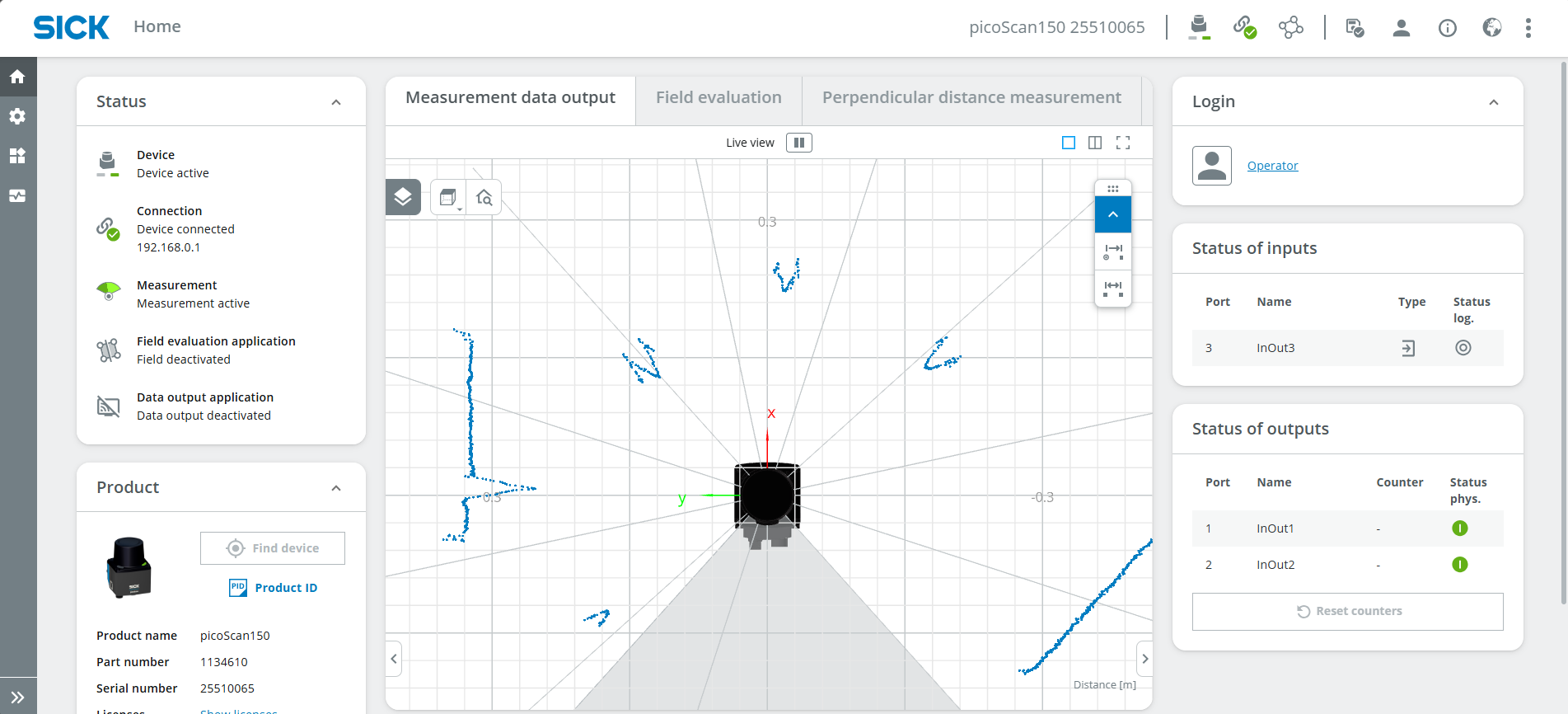
- Connect your device as mentioned in Getting Started. The UI should now look something like this:
- Log in as Service, password: servicelevel and press Keep Default Password.
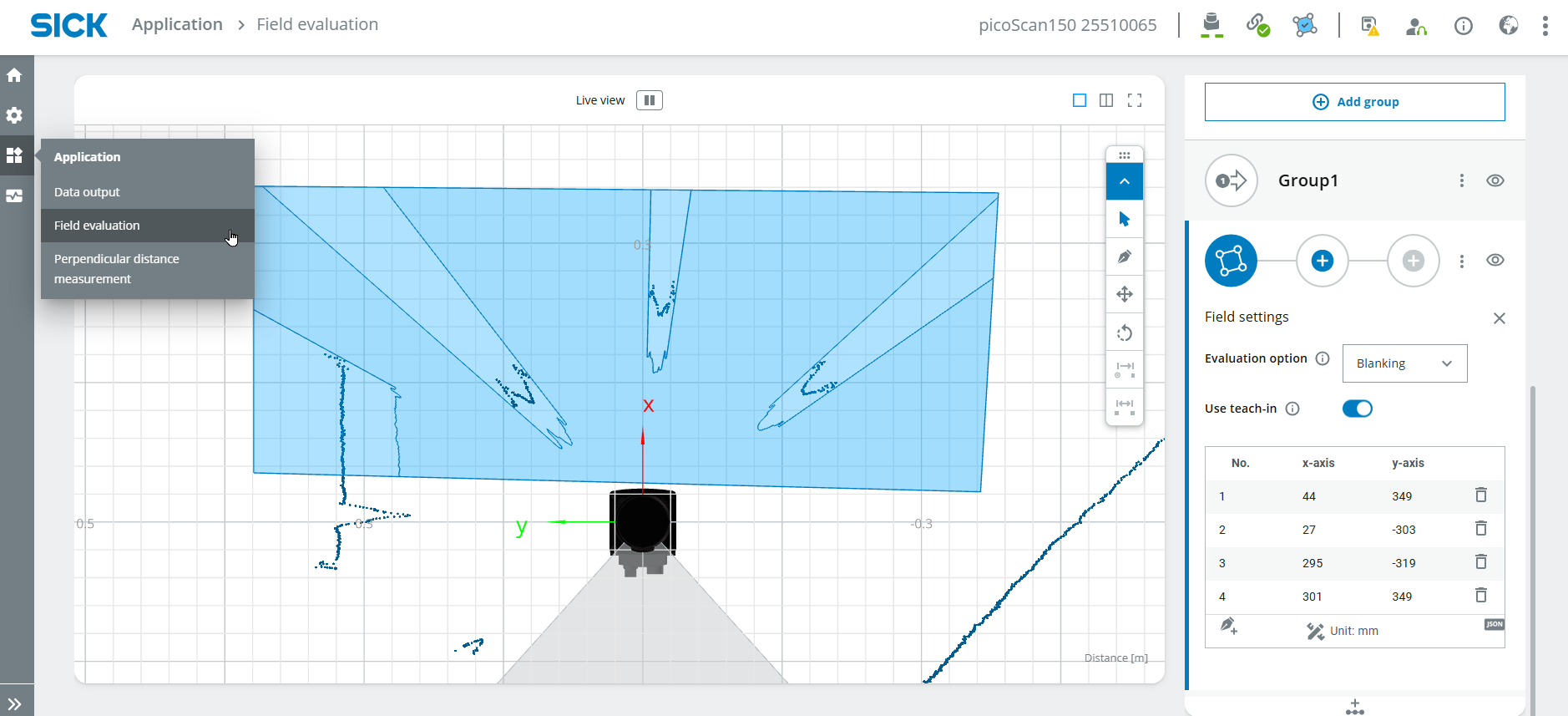
- Select Application > Field evaluation and draw a field in a suitable size.
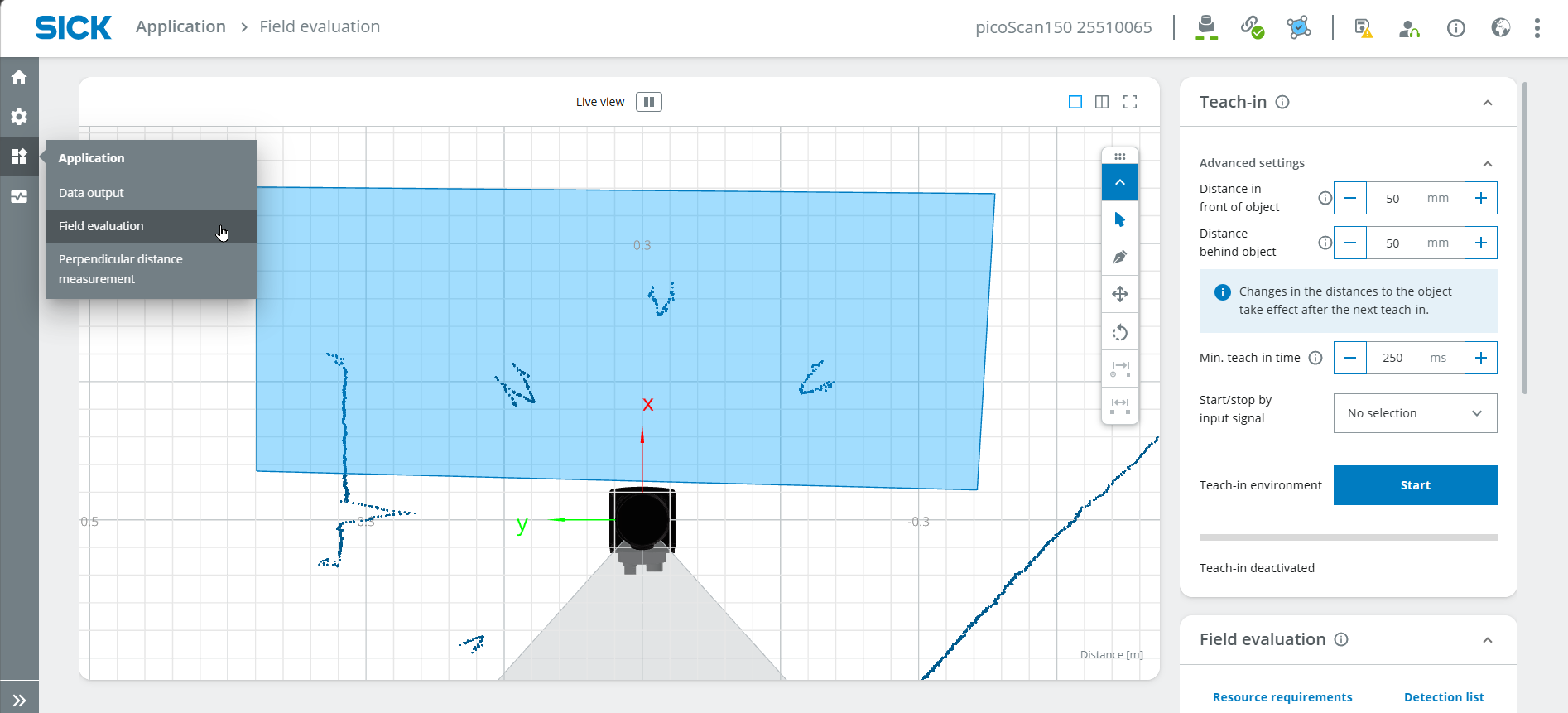
- Perform a Teach-in to ignore all static objects. Stop the teach-in after around 10 seconds.
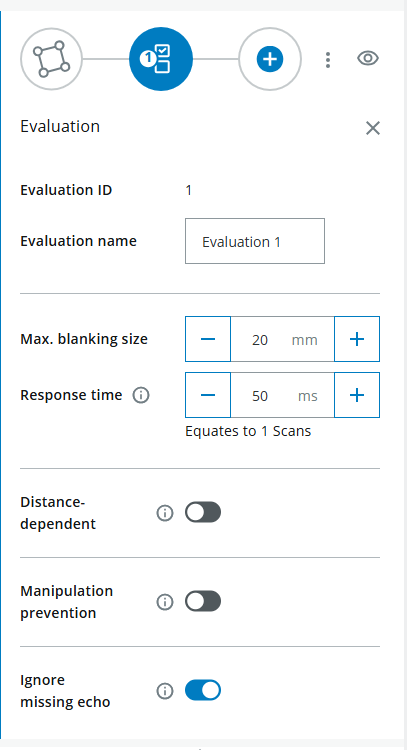
- Define the field parameters, e.g. the max. blanking size which corresponds to the minimal oject size that infringes the field.
- You can ignore Output
Coding
- Open a coding environment with Python such as Visual Studio Code.
- Enter the following code:
import socket

HOST = "192.168.0.1"
PORT = 2111

def sopas(cmd):
    with socket.socket(socket.AF_INET, socket.SOCK_STREAM) as s:
        s.settimeout(2)
        s.connect((HOST, PORT))
        telegram = b"\x02" + cmd.encode("ascii") + b"\x03"
        s.sendall(telegram)
        return s.recv(1024).decode("ascii").strip("\x02\x03")

# Enable measurement
print(sopas("sMN SetAccessMode 03 F4724744"))
print(sopas("sMN LMCstartmeas"))

# Read field evaluation
response = sopas("sRN FieldEvaluationResult")
print("Field evaluation:", response)
- The result should look something like this:

- 2 = Field not infringed, 4 = Field infringed
- Now, read out a specific value (field infringed or not infringed, e.g. to play a sound or turn on a light)
- 38:39 refers to the position in the result (first digit 2 or 4)
- Check if the result is giving out the right position (either 2 for "not infringed" or 4 for "infringed").
- Play a sound if the field is infringed; otherwise, display the text "error". Important: Type "import winsound" on the second line of the code (below the previous "import socket").
- To read out sensor data continuously, include the code in 'while True'
- Complete code:
Code
import socket
import winsound

HOST = "192.168.0.1"
PORT = 2111

def sopas(cmd):
with socket.socket(socket.AF_INET, socket.SOCK_STREAM) as s:
    s.settimeout(2)
    s.connect((HOST, PORT))
    telegram = b"\x02" + cmd.encode("ascii") + b"\x03"
    s.sendall(telegram)
    return s.recv(1024).decode("ascii").strip("\x02\x03")

# Enable measurement
print(sopas("sMN SetAccessMode 03 F4724744"))
print(sopas("sMN LMCstartmeas"))

while True:
# Read field evaluation
response = sopas("sRN FieldEvaluationResult")
print("Field evaluation:", response)

output= response[38:39]
#print(output)

if output == '4':
    winsound.Beep(200, 1000)
else:  print('error')
- Now, you can walk through the parcours and check if the code is working correctly.
- If you like, you can use other sounds or variations of the game.
Expected Result
After completing this project, the LiDAR Starter Kit should detect when a field is infringed.
A successful result means that:
- the field evaluation is configured correctly
- static objects are ignored after teach-in
- field infringement is visible in the sensor result
- Python can read the field evaluation result
- a sound is triggered when the field is infringed
Summary
In this guided project, you created a simple interactive LiDAR application.
You learned how to:
- configure a field evaluation
- perform teach-in
- adjust field parameters
- read field results with Python
- interpret field infringement values
- trigger sound feedback based on sensor data
This project demonstrates how LiDAR field evaluation can be used for interactive applications and simple game-based demos.
Next Steps
Continue with another LiDAR project or open the complete project files on GitHub.com.