Resources
Here you can find all the links needed to maintain your sensor.
Firmware
Download the latest firmware here:
SICK Nova Sensor App
For new features, download the latest version of Nova here: Search for “Nova Inspector” on
SICK AppManager
AppManager is used to set the sensor’s IP address and to install firmware and software. Download it here:
SICK AppManager
(Find Downloads in the blue bar at the top and then switch to the Software tab)
InspectorP62x Operating instructions
For in depth info about the sensor, you can download the sensor’s operating instructions here:
InspectorP62x Operating instructions
SICK Nova detailed tool documentation
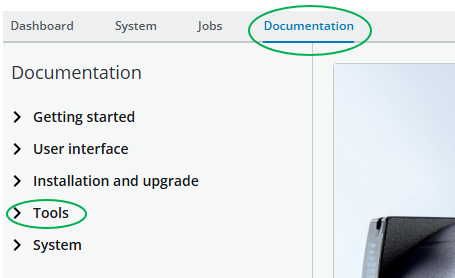
For detailed information about the image analysis tools in Nova, connect to the sensor and select “Documentation” in the user interface.
SICK Nova Recording Tool
This tool is used to easily record images from the sensor to a computer:
SICK Nova Recording Tool
SICK Nova Tool Development
For advanced users: Contains links to SICK Nova Tool API, Nova sample tools and tutorials on how to make custom Nova tools.
SICK Nova Tool Development
Limited Use
This set is intended solely for educational purposes and includes a software limitation: neural networks created with SICK dStudio can only be used for a maximum of two hours at a time. Rebooting the sensor resets this usage window.