Advanced Usage of the Vision Starter Kit
This section covers advanced features and configurations for the Vision Starter Kit.
If you want to get more information about the InspectorP61x or SICK Nova, check out the operating instructions V2D611P-CMWBI4 - InspectorP61x | SICK
The Vision Starter Kit can also be combined with additional accessories to solve even more tasks and applications. Here's a list of useful accessories:
| # | Article Description | Part No. |
|---|---|---|
| 1 | T-splitter – Connect an additional device for an output (e.g. signal lamp) in between power supply and InspectorP61x Please note that you need an additional power supply M12 5-pin (6075718) and adapter cable power supply 5 m (2087577) to connect the devices. |
6030664 |
| 2 | Signal light bar – Optical signal transmitter to visualize a sensor output | 1114219 |
| 3 | Photoelectric sensor – Trigger sensor for Inspector61x Please note that you need an additional IO-Link cable (2096000) |
1133545 |
| 4 | Chocolate 3D print files: sick.com/de/en/downloads/media/swp682086 | - |
Engineering Tool SICK AppManager
With the engineering tool "SICK AppManager", you can find out the IP address of your device, change it, or upgrade your firmware.
- Download SICK AppManager
- Install and open SICK AppManager
- Device should automatically show up in the left upper corner
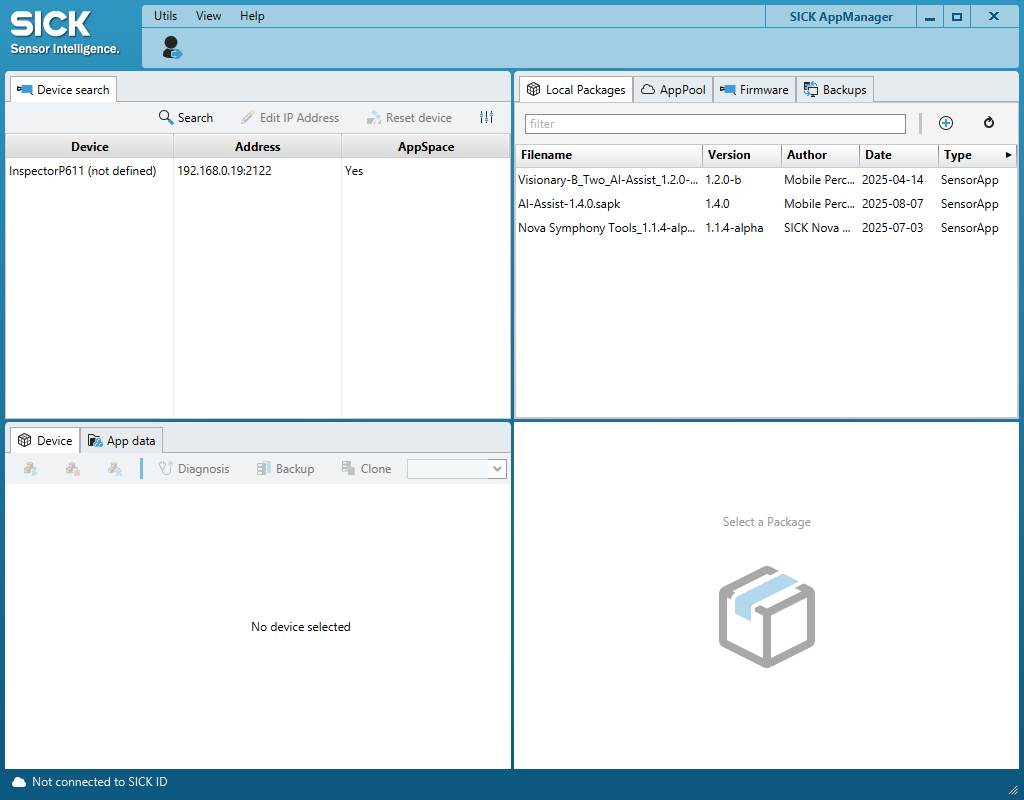
- If not: Click "Search"
- If still not: Click on Settings icon and select all cross boxes within "Ethernet"
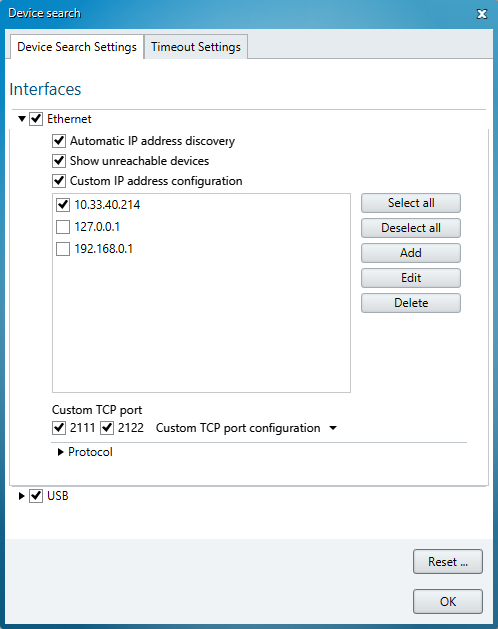
- You can edit the IP address of the device if useful
- Click on device to see the installed apps. Per default, the tools of SICK Nova should be pre-installed as individual apps
Firmware Update
Device:
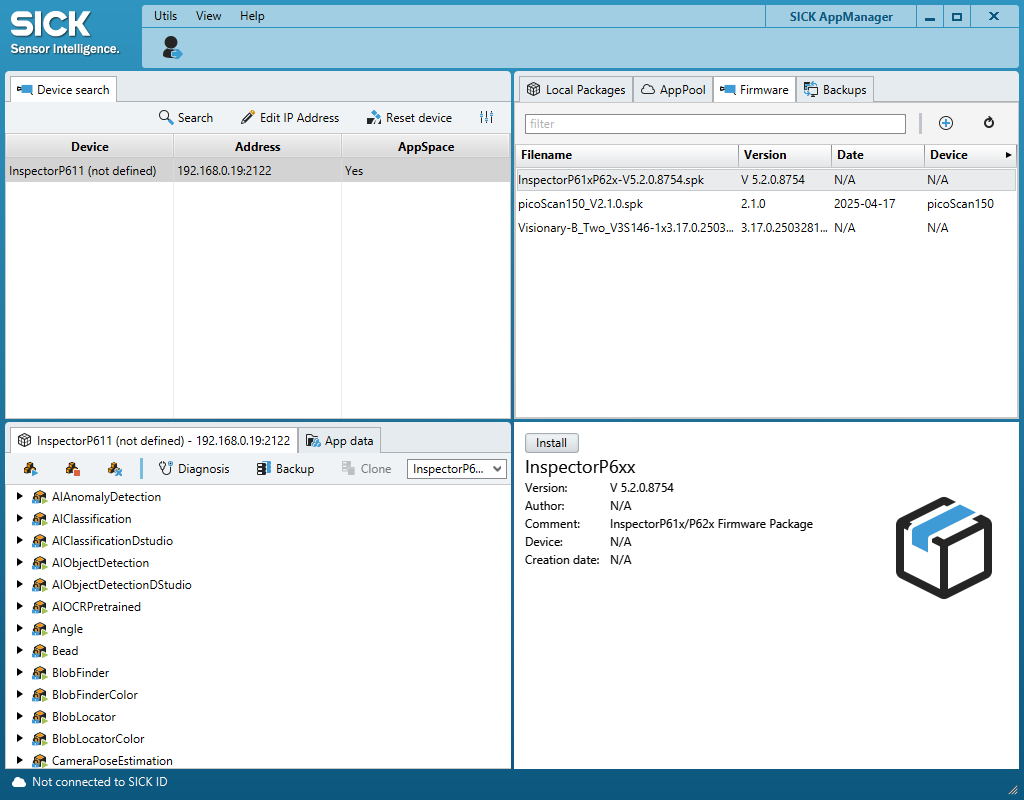
If you want to upgrade to a newer Firmware version, follow these steps:
- Go to V2D611P-CMWBI4 - InspectorP61x | SICK (product page > Downloads > Software) and download the latest firmware
- Extract the .zip file to access the .spk firmware file
- In the upper right corner of AppManager, select "Firmware"
- Click on the "+"
- Choose the .spk file
- Make sure the device you want to update is selected and click on install in the bottom right corner
SICK Nova:
If you want to upgrade to a newer SICK Nova version, you have two options:
- Go to Nova Inspector in SICK AppPool
- Go to "Versions" and Download the latest version.
- In the upper right corner of AppManager, select "Local packages"
- Click on the "+"
- Choose the .sapk file
- Make sure the device you want to update is selected and click on install in the bottom right corner
Custom Image Processing
- Use Nova to create custom image processing tasks.
- Export configurations for use in other projects.
Integration with External Systems
- Connect the Vision Starter Kit to a PLC or other control systems.
- Use the provided API for advanced automation tasks.
Custom tool generator
- You can adapt existing tools by using the custom tool generator, e.g. if you want to count a big amount of Blobs. Download this zip file and open the search.html file. Nova-API-2.9.0-.zip