Human Piano / Air Piano
| Short description | Required knowledge level | Estimated duration | Additional hardware and software requirements |
|---|---|---|---|
| Create multiple fields and a basic Python application to play sounds based on field infringements. | Advanced | 30-60 Minutes | Several people or objects |

In this project, the aim is to simulate keys of a piano by drawing fields that play different sounds when being infringed by objects. A basic python script runs the logic of the different notes.
Instruction
Note: The mentioned code snippets are just examples. Feel free to use your own code to run the project.
Field evaluation
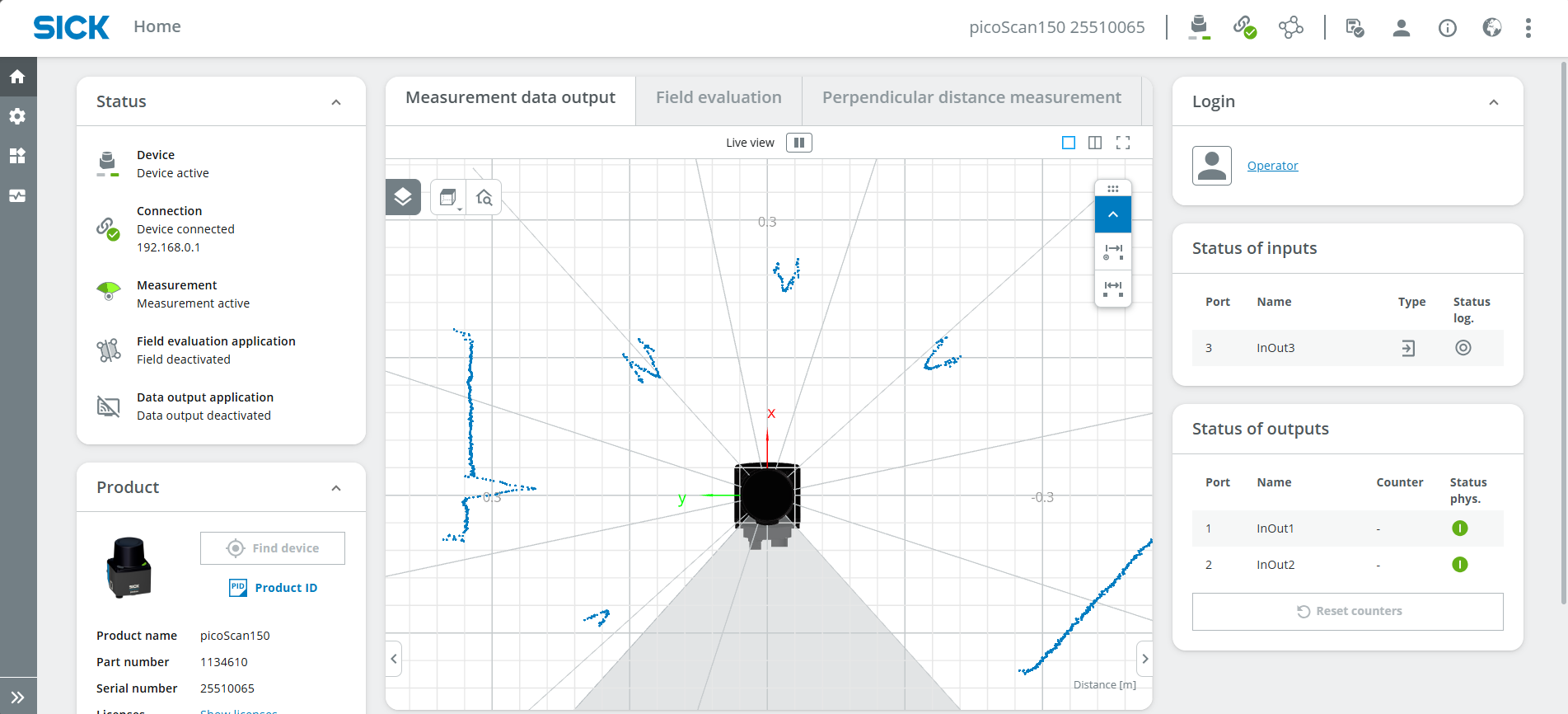
- Connect your device as mentioned in Getting Started. The UI should now look something like this:
- Log in as Service, password: servicelevel and press Keep Default Password
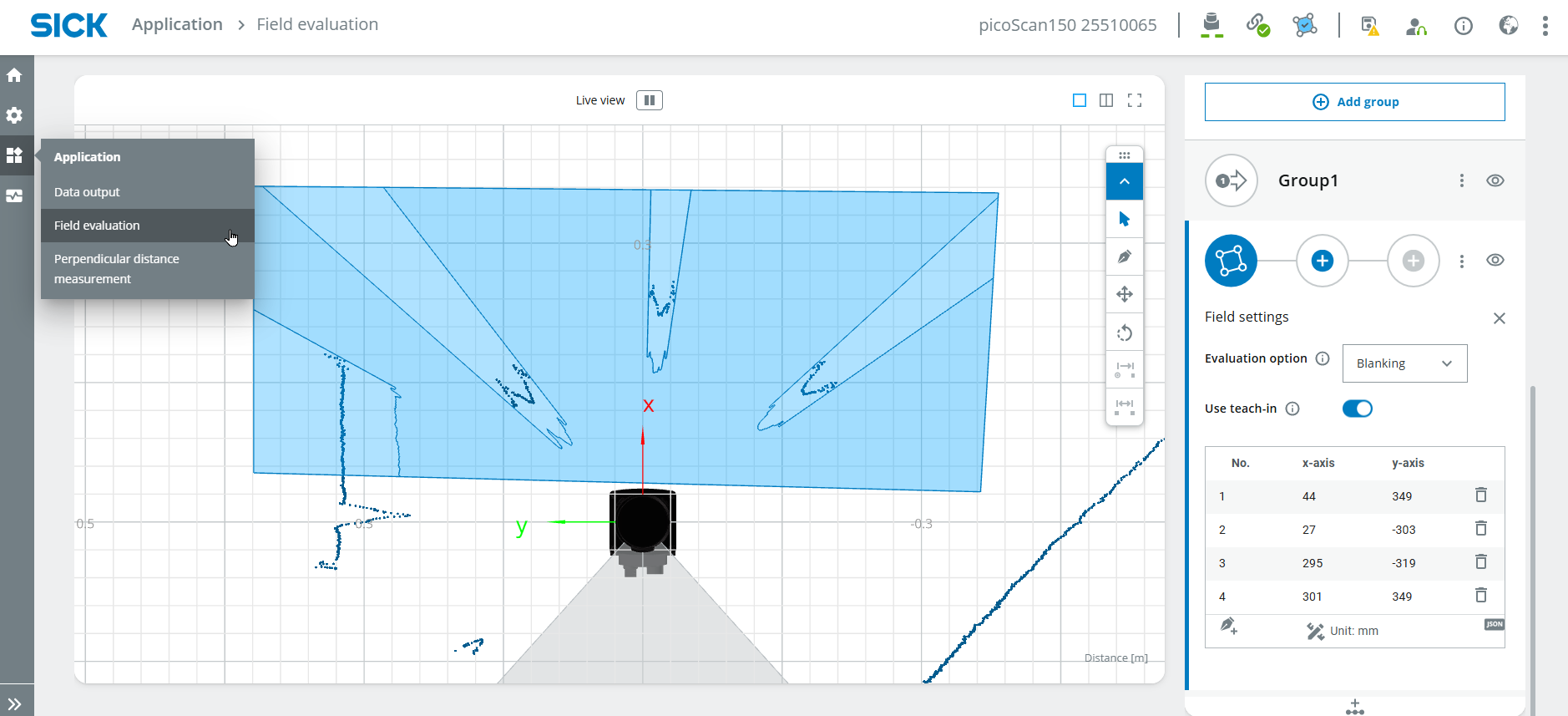
- Select Application > Field evaluation and draw a field in a suitable size.
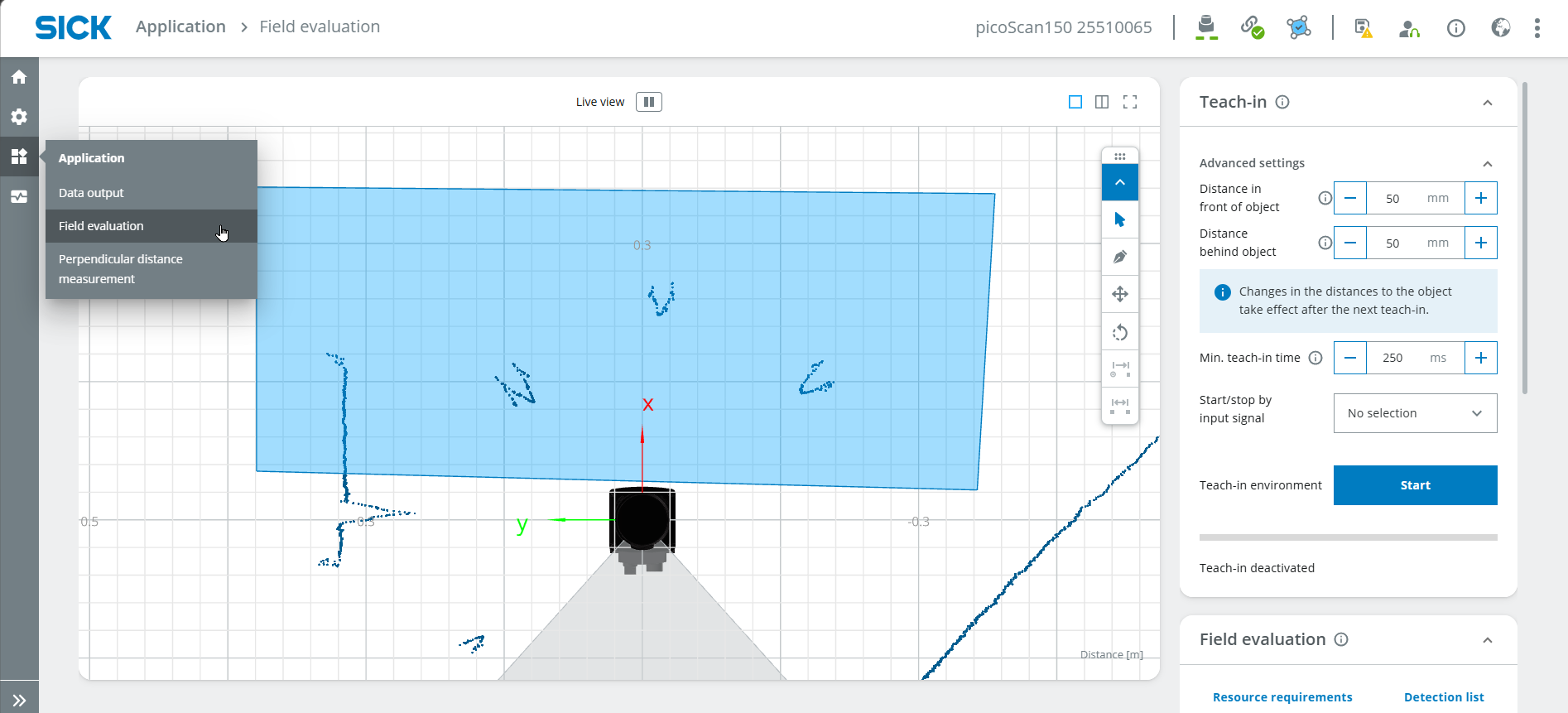
- If useful, perform a Teach-in to ignore all static objects. Stop the teach-in after around 10 seconds.
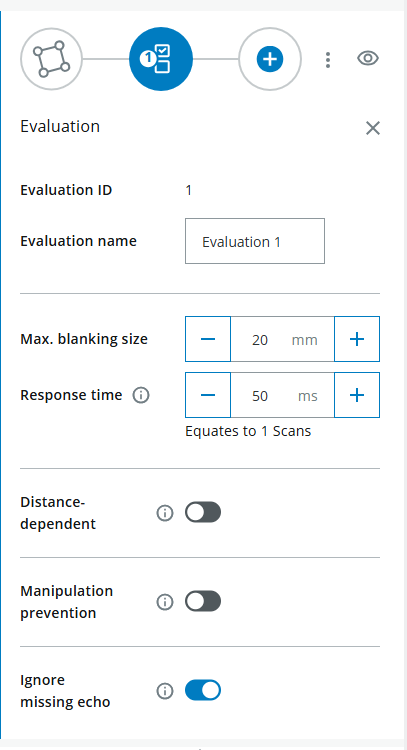
- Define the field parameters, e.g. the max. blanking size which corresponds to the minimal oject size the infringes the field.
- Draw multiple fields right next to each other.
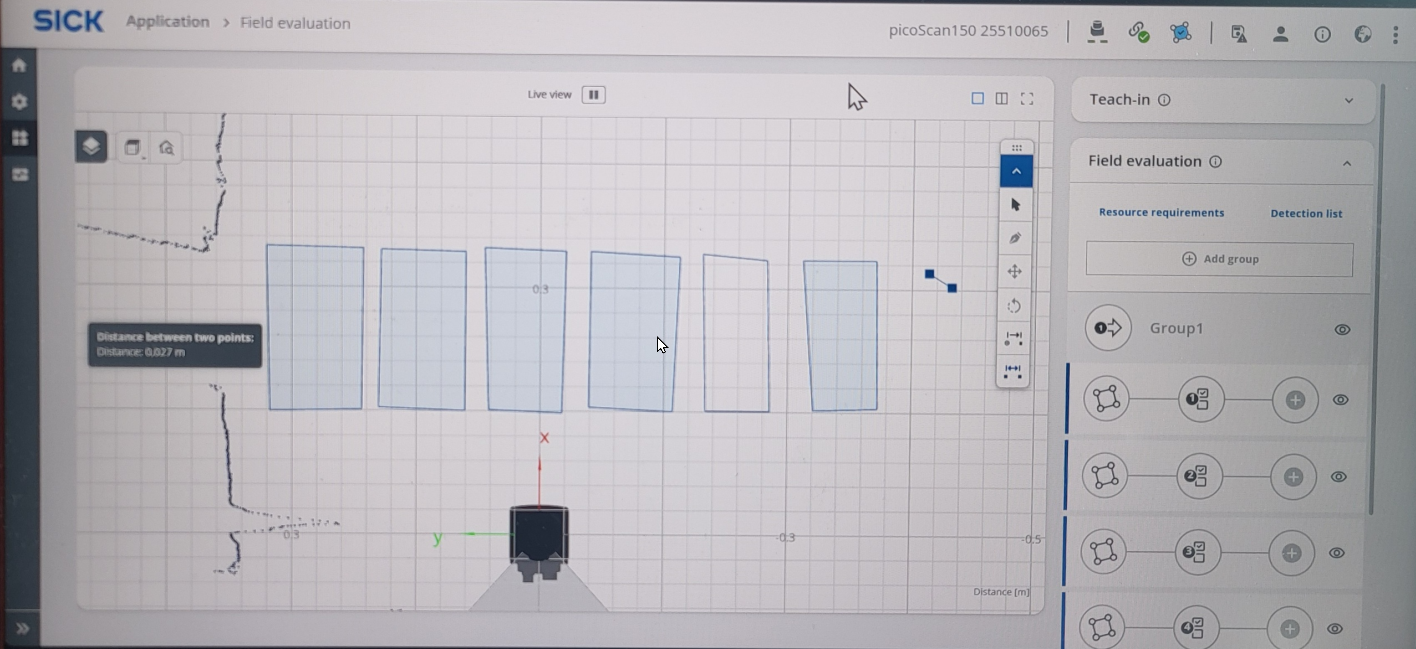
- You can ignore Output
Coding
- Open a coding environment with Python such as Visual Studio Code.
- Enter the following code:
import socket

HOST = "192.168.0.1"
PORT = 2111

def sopas(cmd):
    with socket.socket(socket.AF_INET, socket.SOCK_STREAM) as s:
        s.settimeout(2)
        s.connect((HOST, PORT))
        telegram = b"\x02" + cmd.encode("ascii") + b"\x03"
        s.sendall(telegram)
        return s.recv(1024).decode("ascii").strip("\x02\x03")

# Enable measurement
print(sopas("sMN SetAccessMode 03 F4724744"))
print(sopas("sMN LMCstartmeas"))

# Read field evaluation
response = sopas("sRN FieldEvaluationResult")
print("Field evaluation:", response)
- The result should look something like this:

- 2 = Field not infringed, 4 = Field infringed
- Now, read out a specific value (field infringed or not infringed, e.g. to play a sound or turn on a light).
- 38:39 refers to the position in the result (first digit 2 or 4)
- Check if the result is giving out the right position (either 2 for "not infringed" or 4 for "infringed").
- Play a sound if the field is infringed; otherwise, display the text "error". Important: Type "import winsound" on the second line of the code (below the previous "import socket")
- To read out sensor data continuously, include the code in 'while True'
Code
import socket
import winsound
HOST = "192.168.0.1"
PORT = 2111
def sopas(cmd):
with socket.socket(socket.AF_INET, socket.SOCK_STREAM) as s:
    s.settimeout(2)
    s.connect((HOST, PORT))
    telegram = b"\x02" + cmd.encode("ascii") + b"\x03"
    s.sendall(telegram)
    return s.recv(1024).decode("ascii").strip("\x02\x03")
# Enable measurement
print(sopas("sMN SetAccessMode 03 F4724744"))
print(sopas("sMN LMCstartmeas"))

while True:
# Read field evaluation
response = sopas("sRN FieldEvaluationResult")
print("Field evaluation:", response)

output= response[38:39]
#print(output)

if output == '4':
    winsound.Beep(200, 1000)
else:  print('error')
- Add all fields to your code
- Choose the suitable frequencies for your notes.
Frequencies
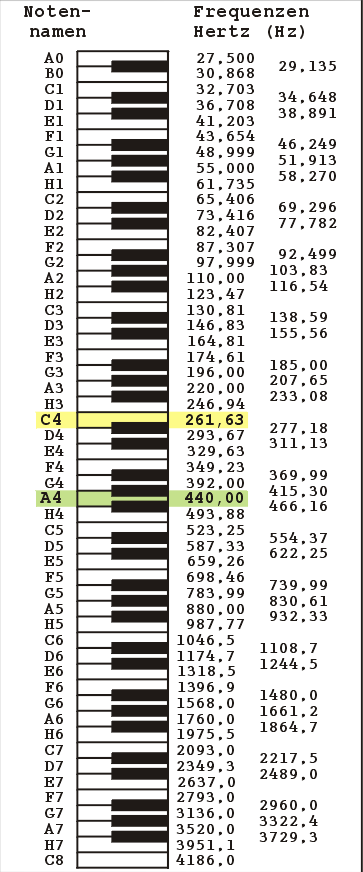
- Complete code:
Code
import winsound

if output == '4':
    x
    import socket
import winsound

HOST = "192.168.0.1"
PORT = 2111

def sopas(cmd):
with socket.socket(socket.AF_INET, socket.SOCK_STREAM) as s:
    s.settimeout(2)
    s.connect((HOST, PORT))
    telegram = b"\x02" + cmd.encode("ascii") + b"\x03"
    s.sendall(telegram)
    return s.recv(1024).decode("ascii").strip("\x02\x03")

# Enable measurement
print(sopas("sMN SetAccessMode 03 F4724744"))
print(sopas("sMN LMCstartmeas"))

#music notes
noteC=262
noteD=298
noteE=330
noteF=350
noteG=392
noteA=440

fieldposition=37
duration=300

while True:
# Read field evaluation
response = sopas("sRN FieldEvaluationResult")
print("Field evaluation:", response)

field1= response[fieldposition:fieldposition+1]
field2= response[fieldposition+4:fieldposition+5]
field3= response[fieldposition+8:fieldposition+9]
field4= response[fieldposition+12:fieldposition+13]
field5= response[fieldposition+16:fieldposition+17]
field6= response[fieldposition+20:fieldposition+21]
#print(field1 +' '+ field2)


if field1 == '4':
    winsound.Beep(noteC, duration)
if field2 == '4':
    winsound.Beep(noteD, duration)
if field3 == '4':
    winsound.Beep(noteE, duration)
if field4 == '4':
    winsound.Beep(noteF, duration)
if field5 == '4':
    winsound.Beep(noteG, duration)
if field6 == '4':
    winsound.Beep(noteA, duration)
else:  print('error')
- Try playing a song by infringing the correct fields.
Want more difficulty levels?
- Play note only when switching notes
- Include semitones, i.e., adjacent keys