Advanced
This section covers advanced features and configurations for the Vision Starter Kit.
If you want to get more information about the SIG300, check out the operating instructions Sensor Integration Gateway - SIG300 - REST-API
The IO-Link Connectivity Starter Kit can also be combined with additional accessories to solve even more tasks and applications. Here's a list of useful accessories:
| # | Article Description | Part No. |
|---|---|---|
| 1 | Signal light tower SLT – optical signal transmitter to visualize e.g. fill level or distance | 6075938 |
| 2 | Color sensor CSM with IO-Link for additional applications | 1122739 |
| 2 | Condition monitoring sensors – Multi physics box MPB10 to measure additional data |
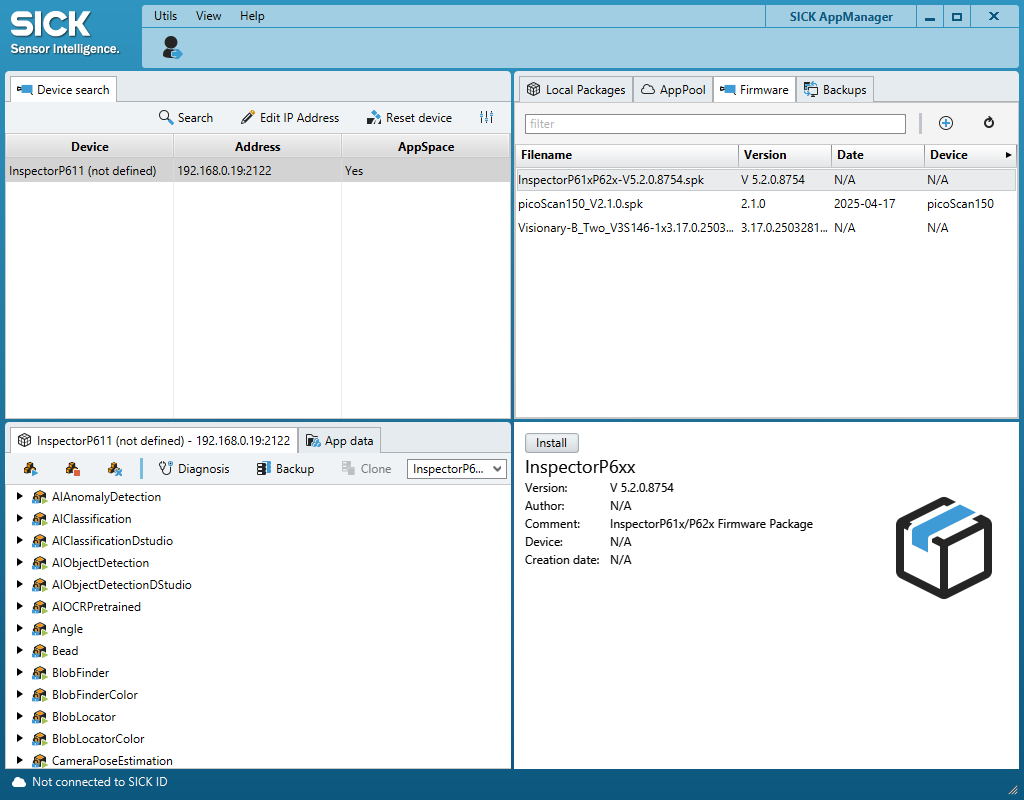
Engineering Tool SICK AppManager
With the engineering tool "SICK AppManager", you can e.g. upgrade your firmware.
- Download SICK AppManager
- Install and open SICK AppManager
- Device should automatically show up in the left upper corner
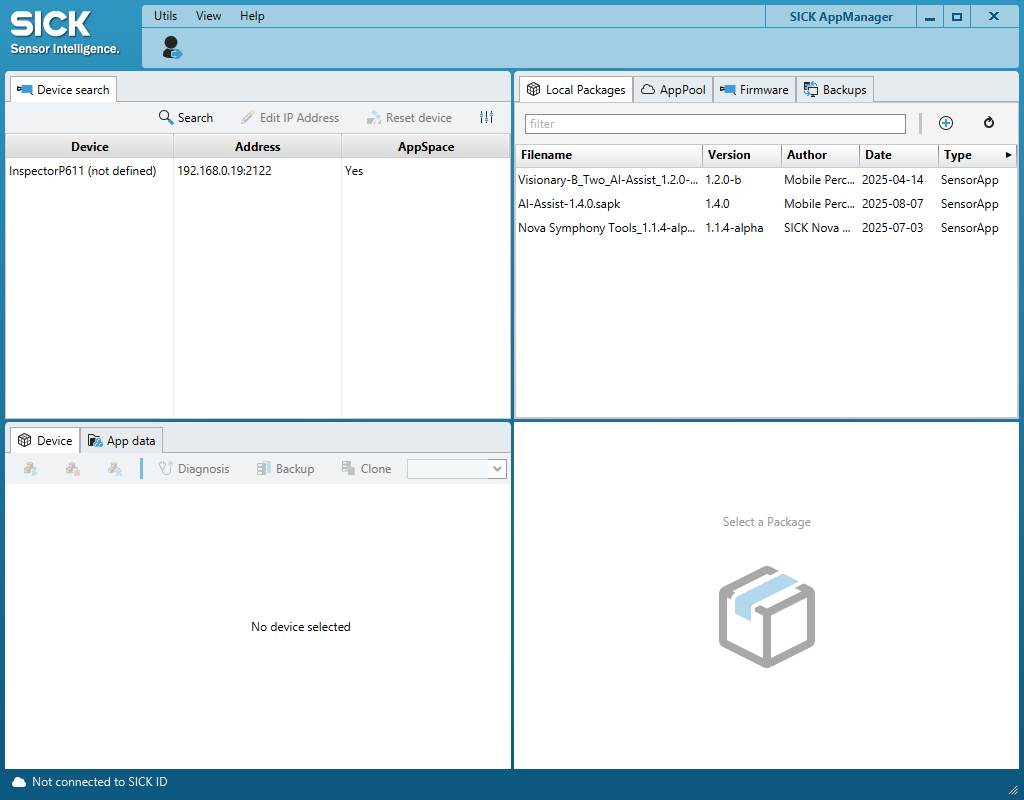
- If not: Click "Search"
- If still not: Click on Settings icon and select USB" and all cross boxes within "Ethernet""
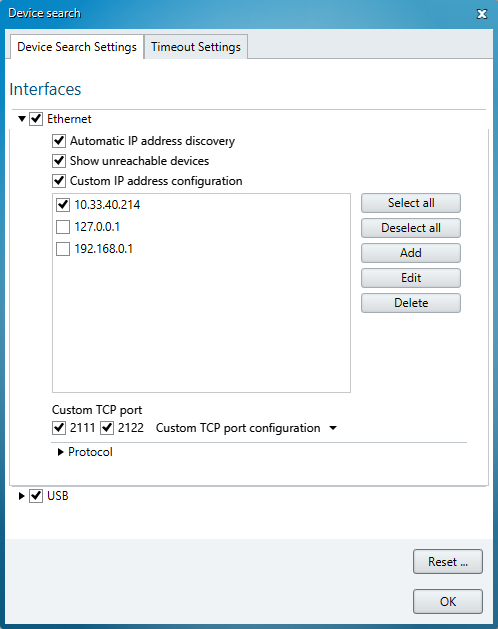
- You can edit the IP address of the device if useful only if you are connected via Ethernet.
Firmware Update:
- Go to SIG300 - REST firmware (product page > Downloads > Software) and download the latest firmware
- Extract the .zip file to access the .spk firmware file
- In the upper right corner of AppManager, select "Firmware"
- Click on the "+"
- Choose the .spk file
- Make sure the device you want to update is selected and click on install in the bottom right corner